The collectionStructurePro

01 / StructurePro · Reference price levels

See the structure.
Keep the space.

Current-session, previous-day and overnight reference levels for NinjaTrader 8. Keep them in view with subtle lines and carefully placed labels.

Current one-time price shown at checkout.

For NinjaTrader 8 intraday charts on Windows. Reference levels depend on session settings and available data.

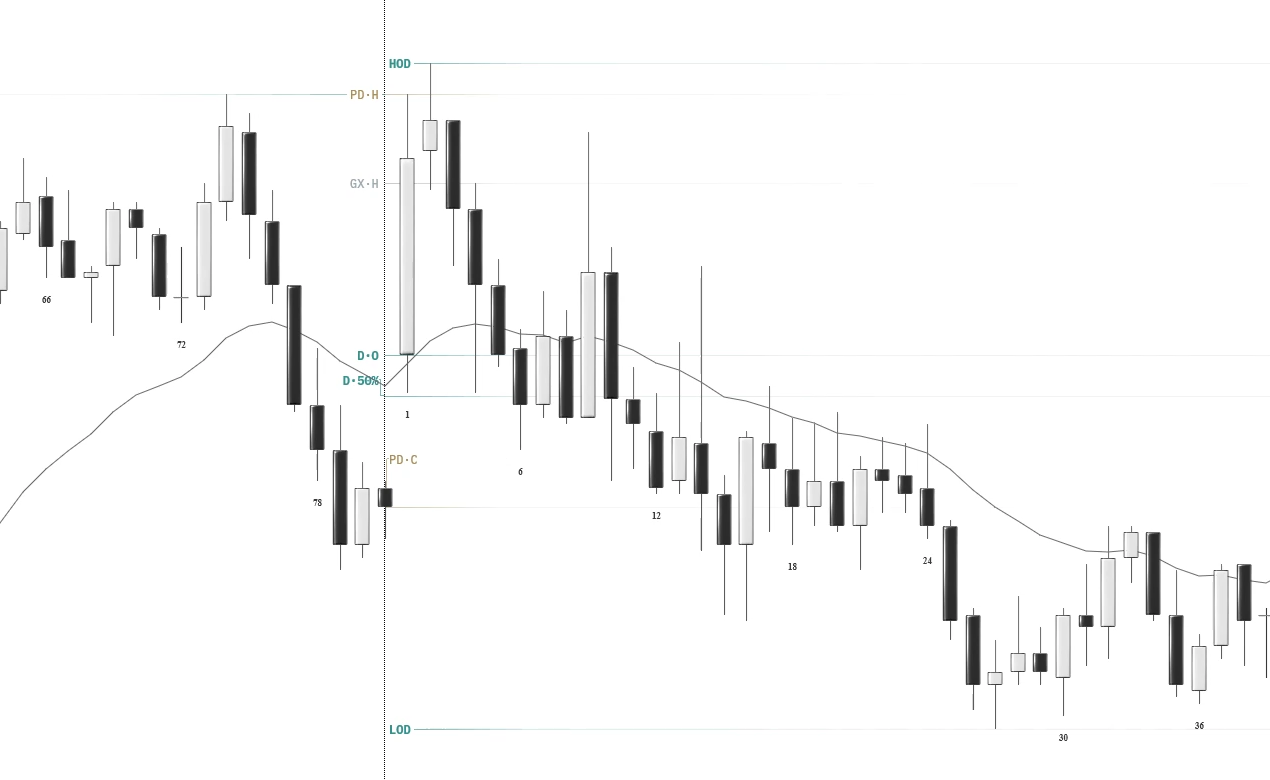
Reference levelsES · 5-minute chart
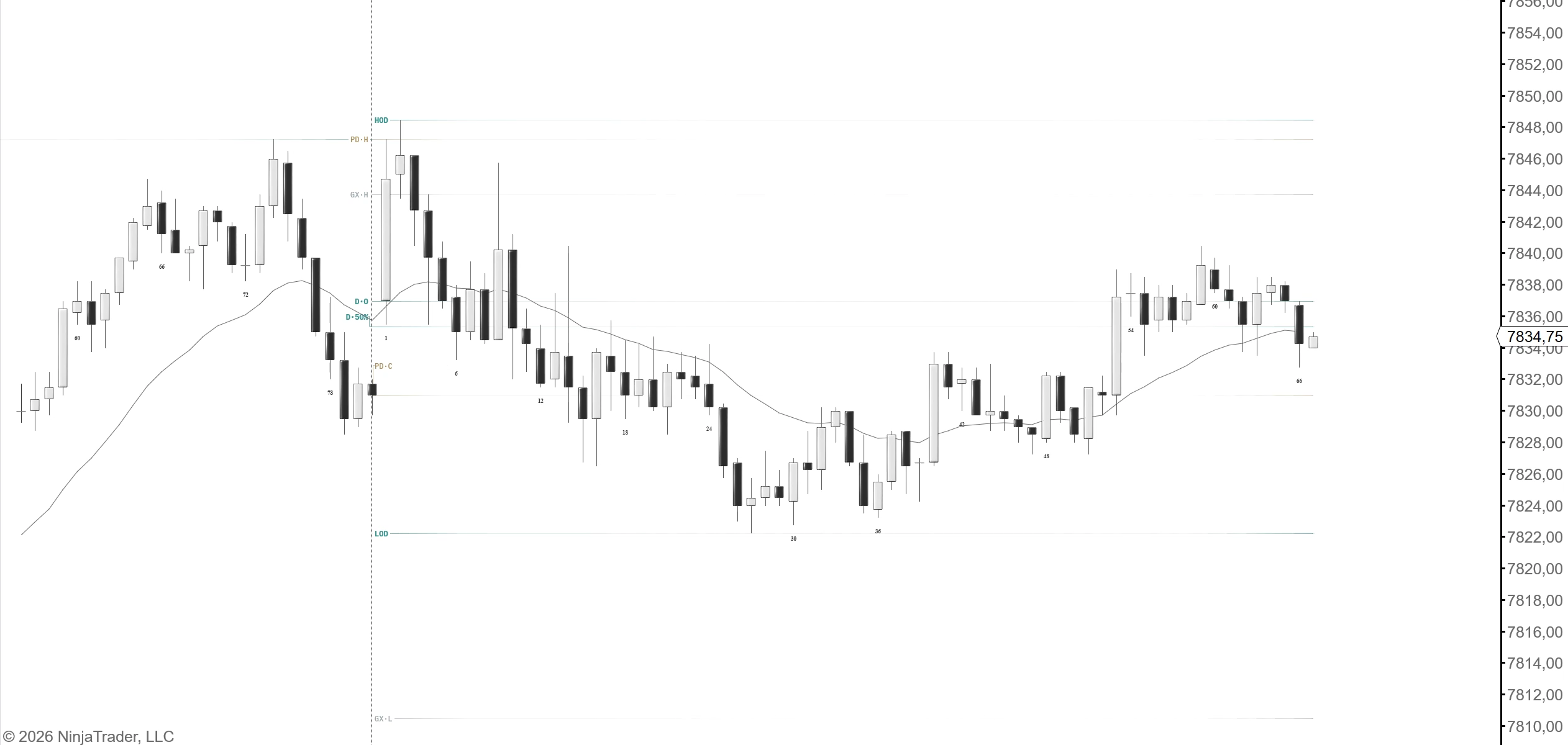
StructurePro current-session, previous-session and overnight reference levels with subtle lines and labels on a real ES chart.
StructurePro adds reference levels and labels. Candle styling, bar labels and the moving average are separate indicators.
Captured in NinjaTrader.Full-size image ↗
41 configurable profilesIndependent line and label strengthHistorical reference data

Made around your chart

A focused chart.
A wider perspective.

Read the StructurePro guide

Begin with the current session, overnight session and previous session. Add earlier periods when you need them. StructurePro retrieves historical reference data separately from the bars loaded on your chart, when your data provider makes it available.

  1. Choose the references

    Select highs, lows, midpoints and custom percentages. Use open and close where supported, or configure Exact Prices and Price Endings.

  2. Balance the emphasis

    Adjust the line and label strength separately. Choose a colour per profile, then set label size and position.

  3. Keep the chart focused

    Each profile can be switched on or off without losing its settings. Older reference levels do not require all of that period’s bars to be displayed on your chart.
A closer look

Your periods.
Your reference points.

Choose the profiles you need. Highs, lows, midpoints and custom percentages are available; open and close depend on the selected profile. Developing periods update as market data arrives.

41 interval and price profiles
Profile familyWhat you can selectCount
SessionsCurrent, overnight and previous 79
WeeksCurrent and previous 45
MonthsCurrent and previous 1213
QuartersPrevious 88
YearsCurrent and previous 34
Your pricesExact Prices and Price Endings2
Choose only what you want to see41
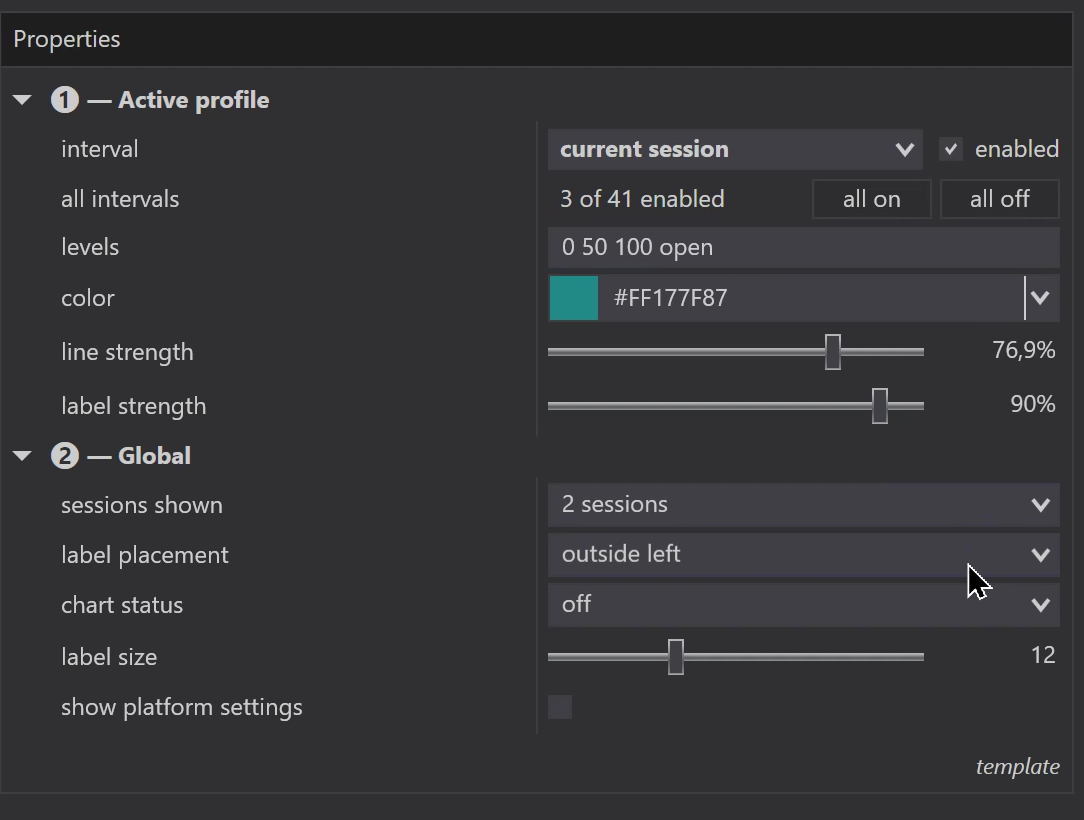
View the actual settings

Choose a profile, enter its levels, and adjust line and label strength separately. Global controls set label placement and size. Line strength 0 hides the line; label strength 0 keeps a faint label.

StructurePro settings showing enabled profiles, custom levels, separate line and label strength and label placement

Before you begin

A few useful
details.

Ask us something else
Which charts are supported?

StructurePro is built for NinjaTrader 8 intraday charts. Daily, weekly, monthly and yearly chart types are not supported. Its longer-period profiles provide reference levels on your intraday chart.

Can I see older levels with fewer days loaded?

Yes, when the required historical data is available. StructurePro retrieves reference data separately from the chart’s Days to load setting. Levels appear after the data has loaded and been processed.

Are all 41 profiles shown at once?

No. Current Session, Overnight Session and Previous Session are enabled by default. Choose which profiles to show. The collection includes 39 period profiles, Exact Prices and Price Endings.

StructurePro / NinjaTrader 8

Your references.
Room to see them.

Current price shown at checkout.

Buy StructurePro

Review pricing, licence terms and purchase details before ordering.

Read the StructurePro guide ↗

StructurePro is a chart tool. It does not execute orders or guarantee trading results. Trading involves risk. NinjaTrader is a trademark of its respective owner.